Google Search Console Alternative: Data to Action

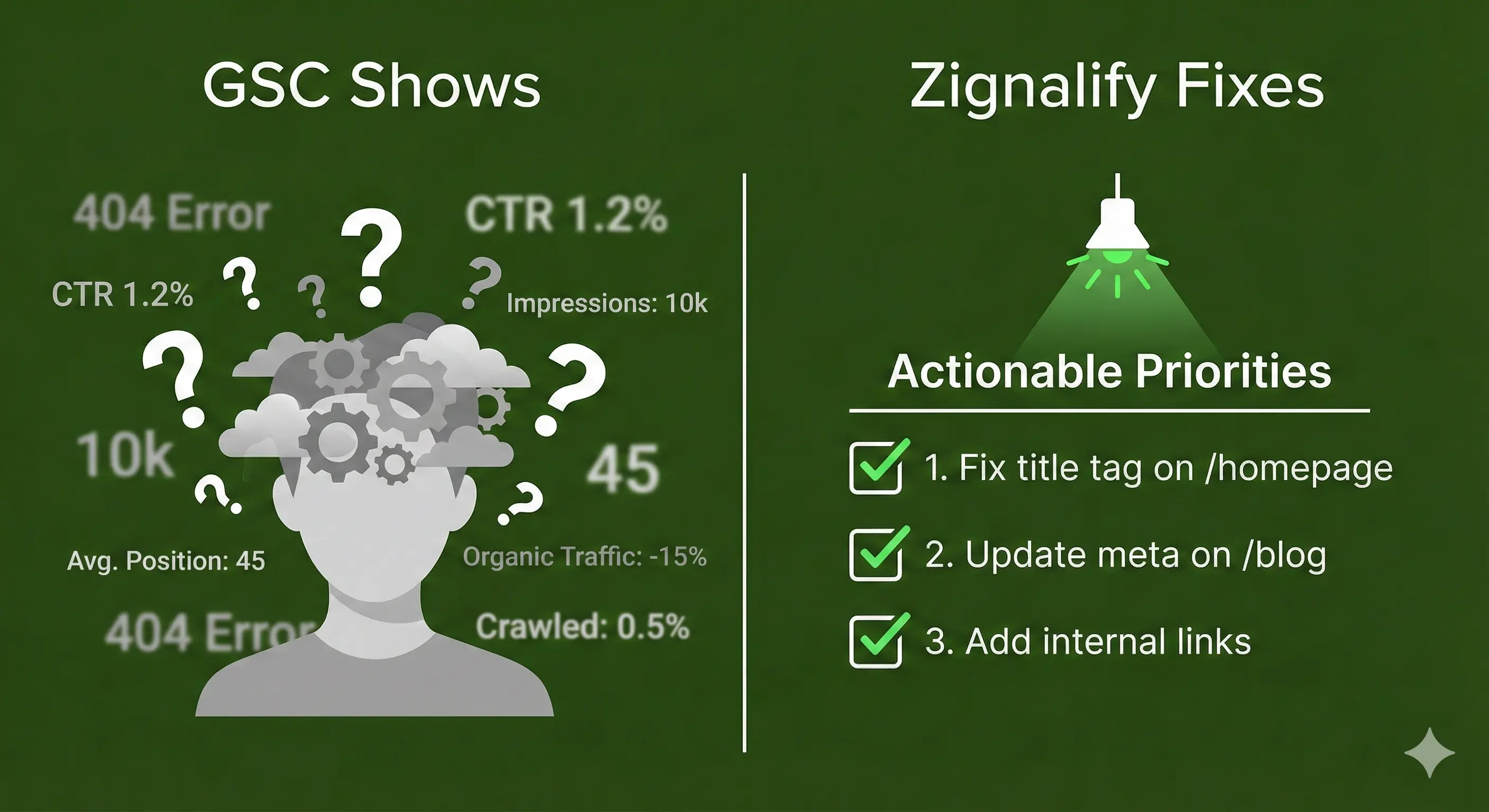
Google Search Console is essential. It's free, accurate, and gives you data straight from Google itself. No SEO tool can replace it.
But here's the problem: GSC shows you what's happening, but not what to do about it.
If you're searching for a Google Search Console alternative, you're likely not looking to replace GSC entirely (you can't and shouldn't). Instead, you need a tool that complements GSC by transforming its raw data into actionable insights. This guide explores where GSC falls short, and how Zignalify works alongside it to turn data into a clear action plan.
What is Google Search Console?
Google Search Console (GSC) is Google's free monitoring tool that shows how your website performs in Google Search. It's the only official source of search data directly from Google, which makes it irreplaceable.
Here's what GSC gives you:
Performance monitoring: Track your clicks, impressions, click-through rates, and average positions for every page and query. This data is 100% accurate because it comes straight from Google's official performance reports.
Technical issue detection: Get alerts about indexing problems, crawl errors, mobile usability issues, and Core Web Vitals performance. GSC tells you when something's broken.
Site management tools: Submit sitemaps, request URL indexing, inspect specific pages, and verify your site ownership.
The key strength? No third-party tool can match GSC's data accuracy. It's not estimated or sampled, it's the real numbers from Google's servers.
Who needs it? Everyone with a website. Whether you're running a local bakery or managing client sites, GSC is your foundation. It's free, it's authoritative, and it's where every SEO strategy starts.
The limitation? GSC tells you what happened. It doesn't tell you why it happened or what to fix first.
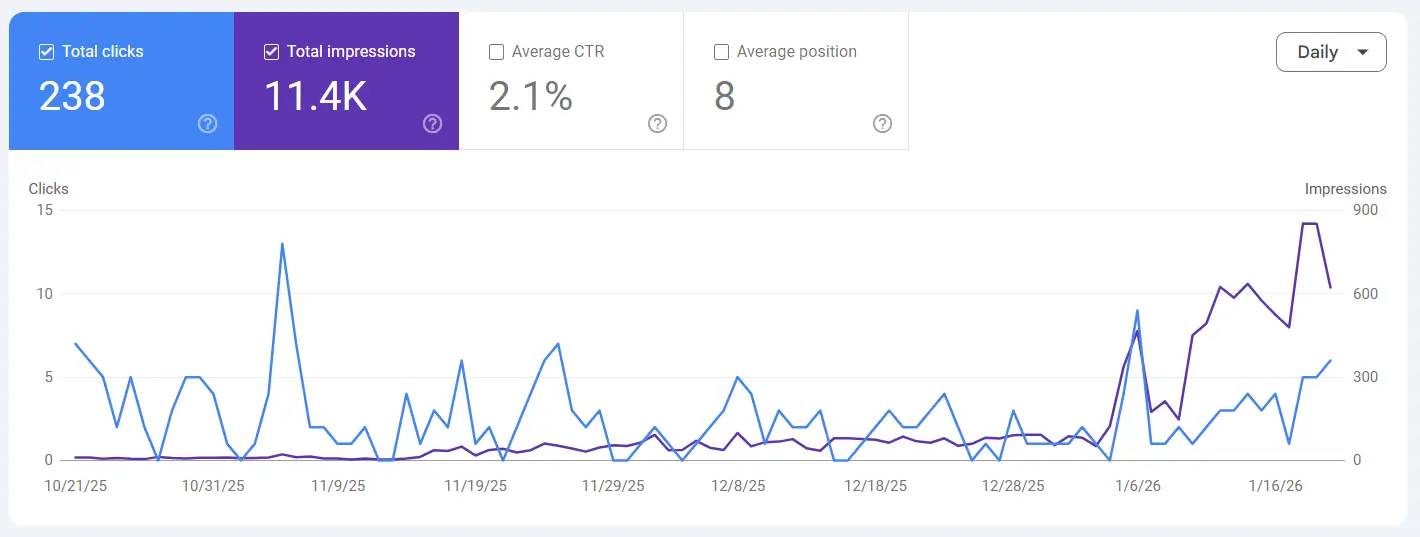
Google Search Console: What It Does Well
The Irreplaceable Strengths
Let's be clear about what makes Google Search Console valuable, because no tool (including Zignalify) can replace these core strengths:
Completely free. No subscription fees, no hidden costs, no feature paywalls. You get enterprise-grade insights at zero cost. For small businesses and solo consultants, this matters.
Accurate data direct from the source. GSC isn't estimating or sampling, you're seeing the actual numbers from Google's servers. When Ahrefs or SEMrush shows "estimated traffic," GSC shows the truth.
Comprehensive coverage. GSC monitors every aspect of how Google sees your site, from crawling and indexing to mobile usability and Core Web Vitals. It's the complete picture.
Official status means it's required. Some features only work through GSC: site verification, rich results testing, manual penalty reviews, and submitting sitemaps. You can't skip it.
Improving over time. Google recently added AI-powered insights, better UI navigation, and expanded data retention (from 90 days to 16 months). It's getting better.
Here's the bottom line: No paid tool can replace Google Search Console's core functionality. It's the foundation of SEO monitoring. You shouldn't try to work around it, you should build on it.
Where Google Search Console Falls Short
The Data Interpretation Problem
GSC excels at showing you what happened. It fails at telling you why or what to do next.
Picture this: You log into GSC and see your clicks dropped 30% over the past month. Your average position fell from 8.2 to 12.4. Impressions are up, but CTR is down. Now what?
GSC won't tell you. It shows the symptoms, not the diagnosis or the treatment.
For small business owners, the technical jargon creates barriers. What's a good CTR? Is 12.4 position terrible? Should you panic about mobile usability warnings?
For solo SEO consultants, the time cost is brutal. You're spending 2-3 hours per client per month manually analyzing GSC data, cross-referencing pages with queries, building spreadsheets to identify patterns. That's 20-30 hours per month for 10 clients, time that could be spent on actual SEO work.
The core problem: GSC gives you the raw materials, but you need to build the house yourself. It doesn't prioritize. It doesn't contextualize. It doesn't recommend.
Technical Limitations
Beyond the interpretation challenge, GSC has hard technical limits that frustrate users:
16-month data retention. After 16 months, your data is permanently deleted. No recovery, no archives. Want to compare 2024 to 2026? Too bad. You should've exported it manually.
1,000-row export limit. When you export data, you can only see 1,000 rows at a time. Larger sites with thousands of pages and keywords? You're only seeing a fraction of your data.
3-day data delay. All dashboard information is 3 days old. Launched a new campaign? You'll wait 3 days to see how Google responded.
67% data loss on huge sites. The Search Console API has a limit of 50,000 page/keyword pairs per day. Large sites miss most of their impression data due to aggregation and sampling.
No prioritization. GSC shows you everything that's wrong, but treats a critical indexing error the same as a minor mobile usability issue. Which do you fix first? GSC won't say.
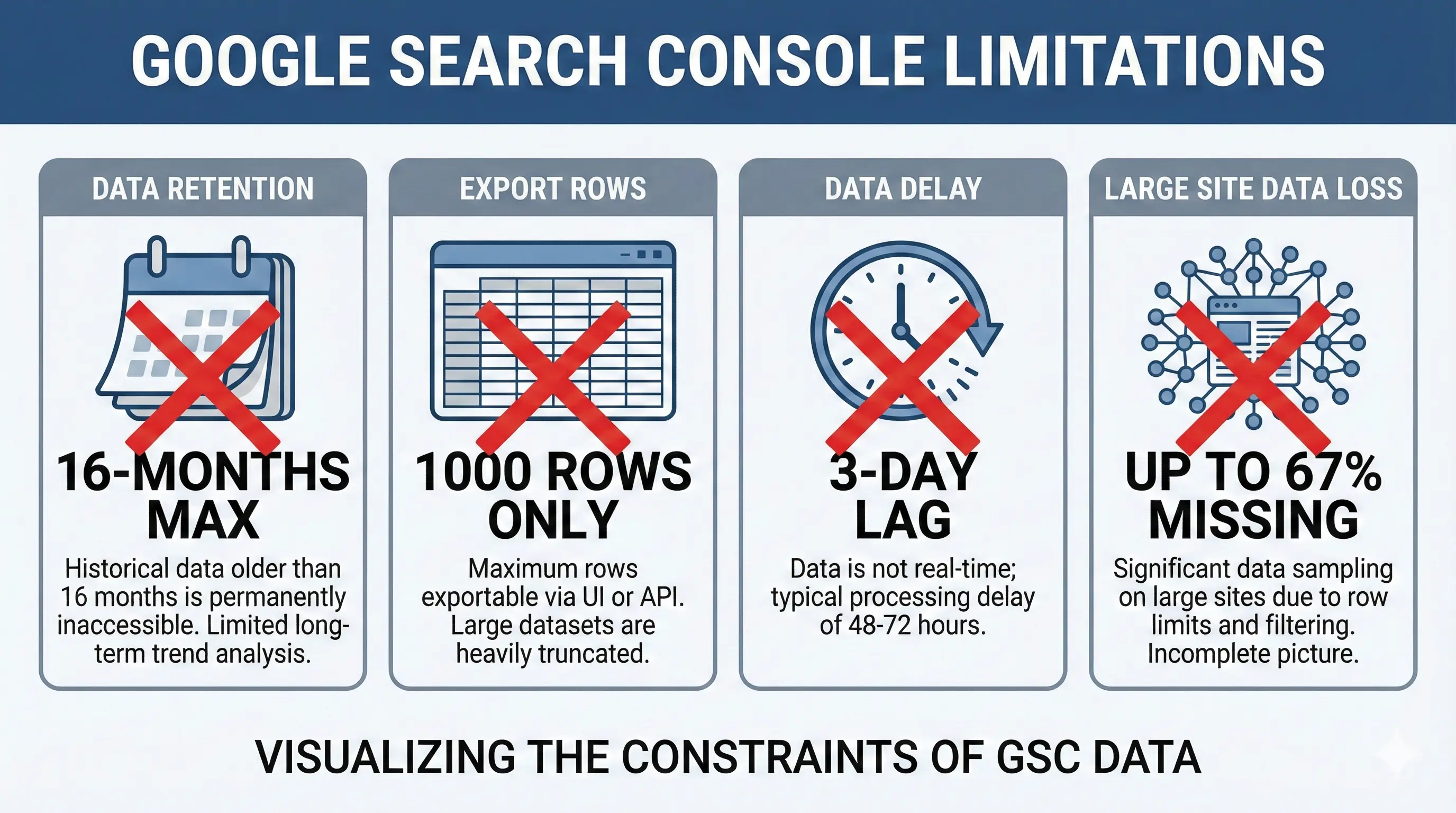
GSC is powerful, but it dumps data on you without guidance. For technical SEOs with unlimited time, that's fine. For everyone else, it's overwhelming.
What is Zignalify?
Zignalify transforms Google Search Console data into prioritized, actionable recommendations. Think of it as your GSC translator and strategist in one.
Here's what that means in practice:
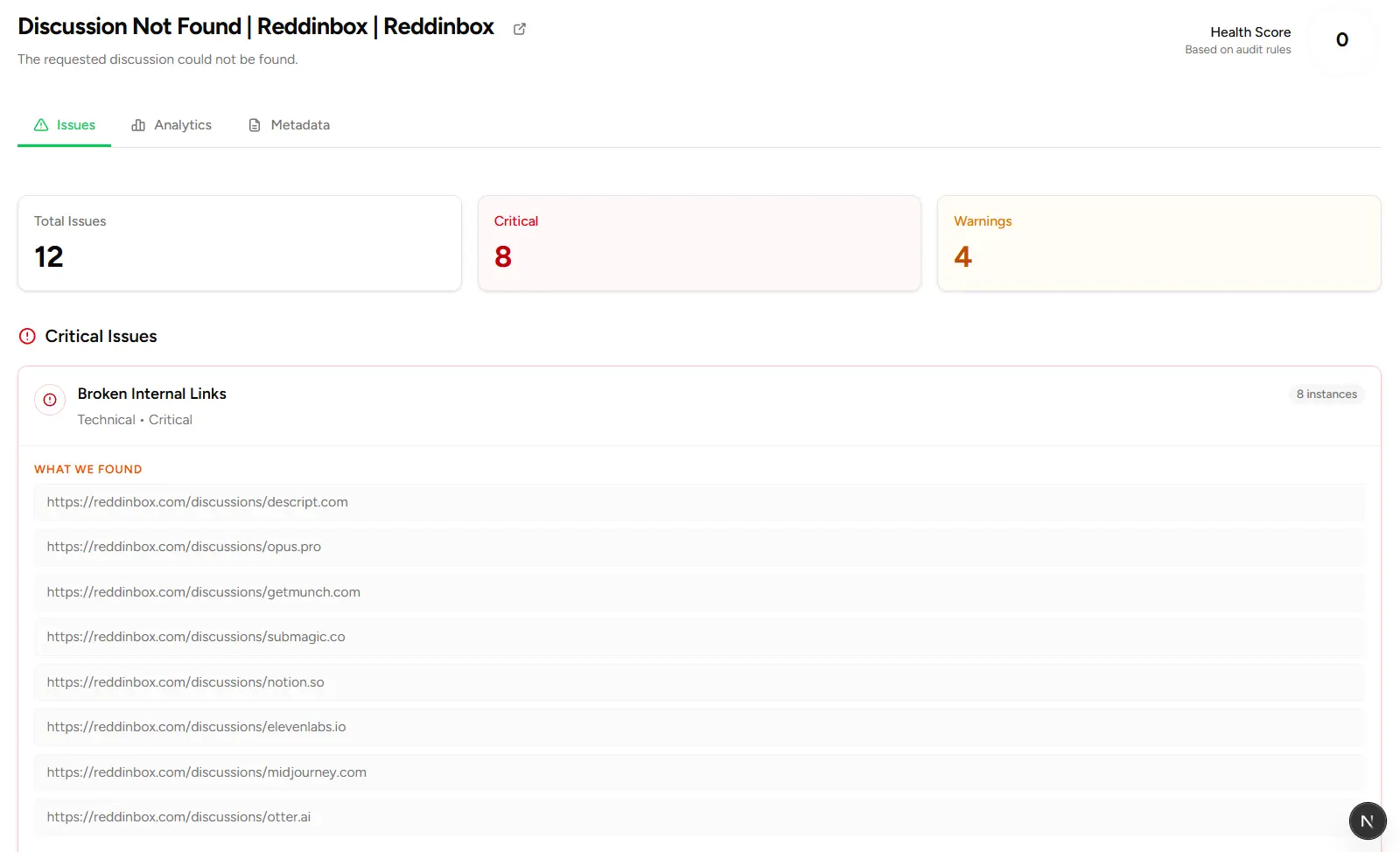
We connect to your existing GSC account, we don't replace it or duplicate it. We pull your actual Google data and layer intelligence on top. This isn't a competitor to GSC. It's a complement.
We speak plain English, not SEO jargon. Instead of "CTR declined 15 basis points," you'll see "Your homepage gets 1,200 views but only 30 clicks, fix your title tag."
We prioritize by impact. Instead of showing 1,000 potential issues, we show you the 5 things to fix this week, ranked by revenue impact. Quick wins first, everything else later.
We automate what takes hours manually:
- Cannibalization detection: Automatically identifies when multiple pages compete for the same keywords
- Quick win identification: Finds pages ranking in positions 11-20 where small changes drive big results
- Plain English reporting: Generates client-ready reports your non-technical clients will actually understand
The analogy that clicks: GSC speaks "SEO," your team speaks "business." Zignalify translates between the two.
Pricing context: We charge $19-99/month depending on how many sites you manage. Compare that to Ahrefs ($1,200-6,000/year) or SEMrush ($1,500+/year). We're solving a different problem at a fraction of the cost.
Most importantly: solo consultants using Zignalify report saving 8+ hours per week on manual GSC analysis. That's 32 hours per month you can spend on actual SEO work, or taking on new clients.
How Zignalify Enhances Google Search Console
Here's how Zignalify builds on GSC's foundation with three concrete examples:
Example 1: Keyword Cannibalization
What GSC shows: Query performance data for each individual page. You can filter by page or by query, but you can't easily see when multiple pages compete for the same search term.
The problem: Finding cannibalization manually means exporting your data, cross-referencing pages against queries in spreadsheets, and hunting for patterns. It takes 2-3 hours per site and is easy to miss.
How Zignalify solves it: Automated detection. We analyze your GSC data and surface cannibalization issues immediately: "Your blog post about CRM software and your product page both rank for 'best CRM for small business', consolidate or differentiate them."
Result? Fix it in 30 minutes instead of spending 3 hours finding it.
Example 2: Priority Overwhelm
What GSC shows: Hundreds of pages with data. Some are dropping, some are rising. Some have indexing issues, some have mobile problems. All problems appear equally urgent.
The problem: Which do you fix first? The page that dropped from position 3 to 5? The page with 10,000 impressions but 0.5% CTR? The indexing error on a page that gets zero traffic anyway?
How Zignalify solves it: We rank issues by revenue impact. "Fix these 5 things this week" appears at the top of your dashboard, sorted by potential traffic gain, not alphabetically or by severity alone.
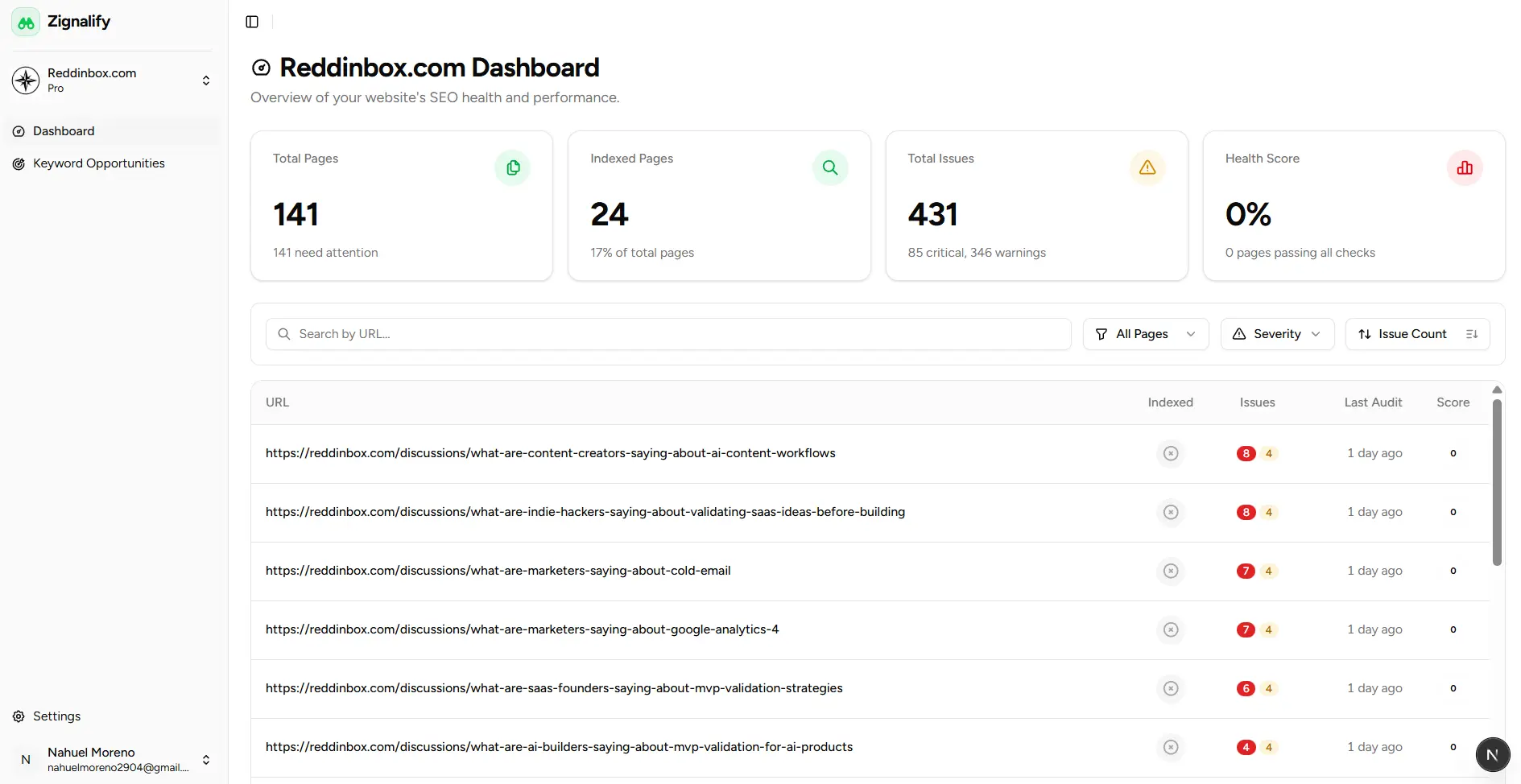
Result? Focus on what matters, ignore what doesn't.
Example 3: Client Reporting
What GSC shows: Raw metrics. Clicks, impressions, CTR percentages, average positions. Multi-colored charts that mean something to SEO pros but nothing to clients.
The problem: Clients don't understand what "average position improved from 12.3 to 9.7" means for their business. They don't know if 2.5% CTR is good or terrible. They want the story, not the spreadsheet.
How Zignalify solves it: Plain English reports with context and next steps. "Your blog traffic increased 24% this month because we fixed title tags on your top 10 pages. Next, we're targeting 3 pages ranking in positions 11-15 that could drive another 500 monthly visitors."
Result? Clients understand the work, see the value, and renew their contracts.
The key message: Use GSC for the data (it's free and accurate). Use Zignalify to understand what it means and what to do about it.
Zignalify as an Alternative to Full SEO Platforms
Let's address the obvious question: why not just use Ahrefs or SEMrush?
Full SEO platforms cost $1,200-6,000/year and offer 500+ features, competitor analysis, backlink research, keyword discovery, rank tracking across the web. They're powerful, but they're also expensive and overwhelming for most users.
Zignalify costs $228-1,188/year and does one thing exceptionally well: it tells you what to fix in YOUR Google Search Console data.
Here's when you need a full platform:
- You're researching competitors' strategies
- You need comprehensive backlink analysis
- You're discovering new keyword opportunities
- You have a dedicated SEO team with technical expertise
Here's when Zignalify makes more sense:
- You want to understand your existing GSC data
- You're budget-conscious or managing multiple small clients
- You're overwhelmed by technical features you don't use
- You need actionable recommendations, not more data
The reality? Many SEO consultants use both, a full platform for research and strategy, Zignalify for execution and client reporting. They solve different problems. Zignalify doesn't try to be everything, it solves one problem exceptionally well.
Who Should Use Google Search Console Alone
Let's be honest: you might not need Zignalify.
Stick with free GSC if you:
- Have a dedicated SEO team with deep technical expertise
- Actually enjoy manual data analysis and spreadsheet work
- Have unlimited time for deep-dive analysis
- Run a small, simple site with minimal complexity
- Are on a strict $0 budget with no wiggle room
- Already have a system that works perfectly for you
If GSC meets your needs, keep using it. There's no shame in using free tools well.
We're here when your situation changes, when you take on more clients, when your site grows more complex, or when you realize you're spending more time analyzing than executing.
Who Should Add Zignalify
Consider Zignalify if any of these sound familiar:
Solo SEO consultants managing 5-15 clients who need to deliver consistent results without burning out. Zignalify saves 8+ hours/week on manual analysis, time you can spend on actual SEO work or taking on new clients.
Small agencies wanting standardized processes so junior team members can deliver professional insights without senior-level expertise. Turn GSC data into client-ready recommendations in minutes.
Small business owners who find GSC overwhelming or confusing. You know SEO matters, but you don't have time to become an expert. Zignalify translates technical data into plain English actions.
Anyone spending more time analyzing than executing. If you're drowning in GSC data but unsure what to prioritize, Zignalify gives you a clear roadmap.
Specific scenarios where Zignalify clicks:
- "I see GSC data but don't know what to fix first"
- "My clients don't understand technical SEO reports"
- "I'm spending 10+ hours/month on manual GSC analysis"
- "I need to train team members without requiring deep SEO expertise"
If you're nodding along to any of these, Zignalify was built for you.
Conclusion: The Perfect Complement, Not a Replacement
Zignalify isn't a Google Search Console alternative in the traditional sense, it's the perfect complement to GSC.
Always use GSC. It's free, essential, and the source of truth for how Google sees your site. No SEO tool can replace it.
Add Zignalify when you need actions instead of data, when time is limited, or when clients need clarity over complexity.
The best SEO setup isn't choosing between tools, it's knowing which tool solves which problem. GSC shows you what's happening. Zignalify tells you what to do about it.
Try Zignalify free for 7 days and see if it saves you time. No credit card required, cancel anytime. If it doesn't help, you've lost nothing. If it does, you'll wonder how you managed without it.